Stitch Fiddle Alternative for Photo-to-Crochet: One-Time $4.99 vs. Subscription
Compare Stitch Fiddle Premium with StitchSnap’s free photo preview and $4.99 PDF unlock. Learn which chart workflow fits your project.
StitchSnapLast updated
If you already have a photo and want a crochet color chart with written rows, use StitchSnap’s free preview to test that image. A complete PDF for one design costs $4.99. If you spend most of your time drawing charts by hand, making symbol charts, or switching between crafts, Stitch Fiddle’s broader editor may fit better. Its US Premium page lists $4.99 for one month and $28.95 for one year, checked November 21, 2026. Stitch Fiddle Premium
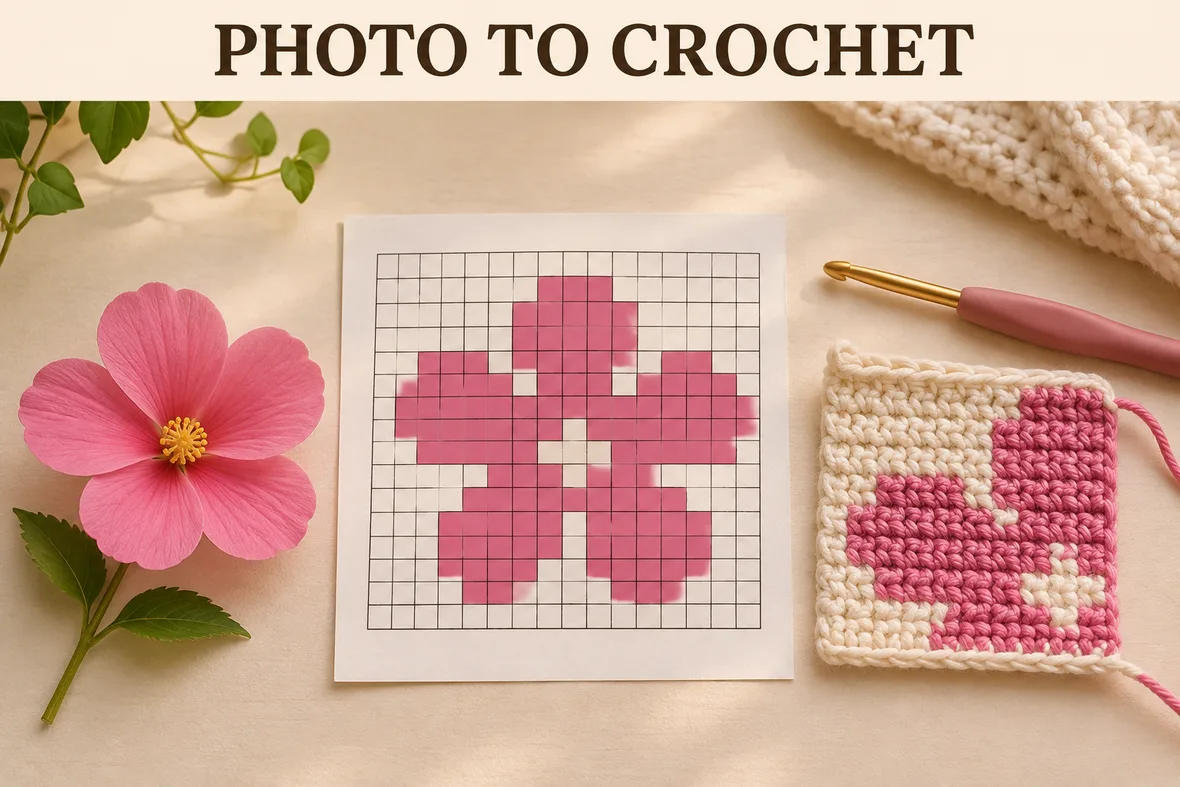
Compare the chart workflow and the price
| Decision | Stitch Fiddle | StitchSnap |
|---|---|---|
| Best starting point | A blank chart, a photo, or a chart you want to manage in an all-purpose editor | A photo or two-line name you want to turn into a crochet color grid |
| Published USD prices | Premium $4.99 for one month or $28.95 for one year | Free preview, $4.99 for one complete PDF or $9.99 for three PDF unlocks |
| Image processing | Offers photo import as part of its chart workflow | Converts the source image into a preview grid in the browser |
| Written instructions | Check support for the selected chart type and plan | Previews the first 10 written rows for C2C, graphghan, or tapestry |
| Color cleanup | Inspect the palette and chart in its editor | Uses a neighboring-cell filter with adjustable strength and manual editing |
| Size and yarn | Offers a standalone chart-size calculator | Estimates dimensions in cm/in and yarn from the project grid and swatch assumptions |
The charges buy different things. One month of Stitch Fiddle Premium buys a month of access to the editor’s Premium features. One StitchSnap unlock buys the complete pattern PDF for a selected design. The three-pack costs $9.99, about $3.33 per unlock if you use all three. Compare the same amount of work in each tool and include taxes displayed at checkout. Stitch Fiddle chart-size calculator
Choose based on what you need after the first chart
A hand-drawn motif can benefit from an editor designed around placing cells one by one and revisiting charts. For a photo blanket, start with the image and see how many colors the converter needs to keep the face or silhouette recognizable. For lettering, create the name directly from text so accents and the spacing between characters stay controlled. Crochet letter chart generator
A paid export is most useful after you have reviewed early rows and the palette. Previewing a 96-cell-wide chart tells you whether the design reads at that scale and whether the fabric width will fit your project. Use your measured gauge to compare that chart with your desired size. C2C blanket calculator
Try the same photo before choosing a tool
- Crop the photo tightly enough that the subject fills the frame. Leave a little space around important features so the crop can be adjusted.
- Compare a 48-cell and a 96-cell grid. Look at the subject at the size you expect to see it on the finished blanket.
- Set a manageable color count. Check eyes, fine lettering, and edges at low cleanup before increasing the setting.
- Read the first three written rows against the grid. In C2C, these grow from the starting corner. In a horizontal chart, they follow the chosen row direction and side.
- Enter a measured swatch. If a tile measures 0.8 in wide, 48 tiles span 38.4 in before edging. At the same gauge, 96 tiles span 76.8 in. A clearer preview can therefore mean a much larger blanket.
- Open the watermarked PDF first and check that the chart, row directions and symbols make sense for the way you work.
Try a photo in StitchSnap · Open the C2C pattern generator
What eight-neighbor cleanup changes
The cells immediately above, below and beside a square, plus its four diagonal neighbors, give the cleanup filter its local context. A stray color surrounded by a consistent background can disappear at a stronger setting. A tiny highlight can look equally isolated to the filter. Compare the versions and use manual editing to keep the details your project needs. Inspect several consecutive rows to see how the edit changes the number of color runs you will actually work. Compare C2C, graphghan and tapestry crochet
What stays in the browser during preview
StitchSnap decodes and samples an uploaded photo locally during grid creation. Saving or initiating an unlock uses account and pattern data on the server. The source photo preview and the saved chart serve different jobs. Review the preview on the device you intend to use, particularly if you are deciding whether a personal photo works as a gift design.
FAQ
Can I compare the chart before paying?
Yes. Generate a grid, inspect the colors and the first 10 written rows, and try the watermarked PDF preview. Prices apply when you unlock a complete PDF.
Does the $4.99 price unlock every future design?
The single unlock covers one pattern. The $9.99 bundle covers three unlocks. Check the checkout summary before buying if you plan to make several versions.
Can I use the same grid for C2C and horizontal rows?
You can try both modes. One C2C tile typically spans more fabric than one horizontal stitch, so redo your swatch and dimensions whenever you change the construction method.
Where can I estimate yarn before I choose a paid PDF?
Work a sample in your intended stitch and use its measured consumption in the size and yarn guide. Calculate a total for the entire field and round up by color after reviewing the actual chart.